ERP plans the work, MES executes it—but problems arise when the two aren’t aligned. Learn more about these systems, when each is needed, and how integrating them increases visibility and efficiency.
Enterprise resource planning (ERP) and manufacturing execution systems (MES) shape two distinct parts of manufacturing operations: One manages business planning, and the other manages real-time execution.
When these systems stay disconnected, teams work from incomplete data. Inventory may look right on paper but doesn't match what’s happening on the floor. So operators may end up improvising while managers struggle to understand where delays originate.
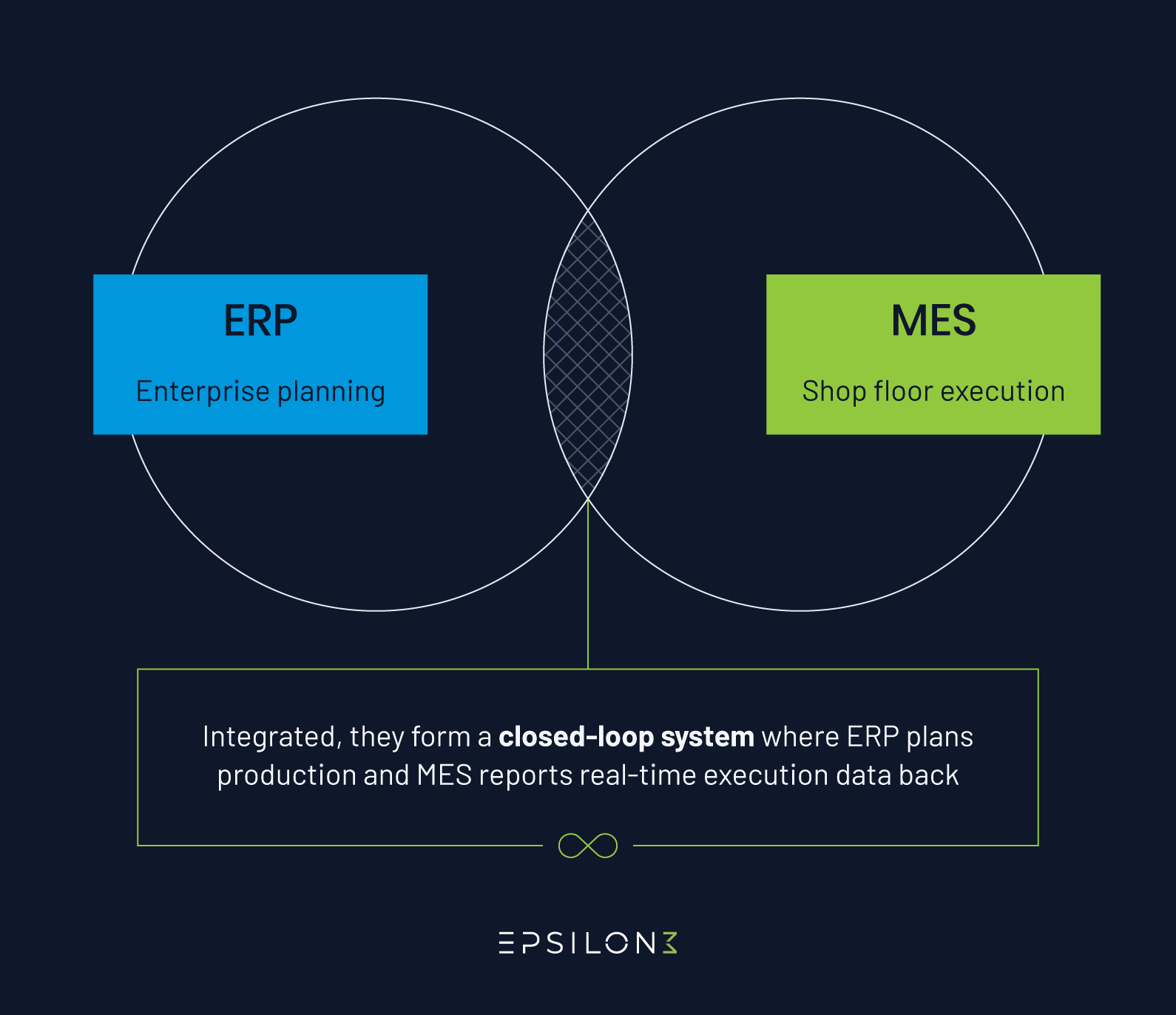
Together, ERP and MES create a closed-loop system where production plans flow down from ERP to MES, while actual production results flow back up to keep business systems synchronized with shop floor reality.
Learn the differences between MES and ERP and how to streamline both to maximize production efficiency.
What’s the Difference Between ERP and MES?
ERP and MES serve different but complementary roles within a manufacturing organization. This table highlights how each system supports distinct layers of operations—from planning at the business level to execution on the shop floor.
| ERP | MES | |
|---|---|---|
| Purpose | Business planning and resource management. | Production execution and shop floor control. |
| Functionality | Financial management, procurement, sales, inventory planning, and cost accounting. | Work instructions, quality management, material tracking, equipment monitoring, traceability. |
| Benefits | Enterprise-wide visibility, accurate costing, efficient procurement, and order management. | Real-time production control, quality enforcement, complete traceability, reduced downtime. |
| Triggers | Customer orders, demand forecasts, financial periods, procurement schedules. | Work order releases, material availability, equipment status, and quality holds. |
| Integration | Finance systems, CRM, supply chain management, business intelligence. | Shop floor equipment, sensors, quality systems, maintenance management. |
| Data focus | Transactional, historical, aggregated financial and inventory data. | Real-time operational, granular process parameters, material genealogy. |
| Primary users | Finance, procurement, sales, supply chain, executive management. | Production supervisors, operators, quality engineers, maintenance technicians. |
| Time used | Strategic planning (quarterly/annual), tactical planning (weekly/monthly). | Real-time production (second-by-second, minute-by-minute). |
What is ERP?
An ERP is a system that integrates business processes across finance, procurement, sales, inventory, and human resources into a unified platform. It captures data from across the organization to deliver visibility into costs, resource availability, and business performance.
ERP systems give managers and planners the data they need to evaluate and answer strategic questions, like:
What products do we need to make?
When are they due?
What materials do we need to buy?
What will production cost?
How much inventory do we have?
ERP determines production plans based on customer orders and demand forecasts, then coordinates the business activities needed to fulfill them.
Here are some key ERP functions:
Financial management and general ledger accounting
Accounts payable and receivable
Order management and fulfillment
Inventory planning and control
Purchasing and procurement
Human resources and payroll
Supply chain coordination
For manufacturers, ERP provides the business framework that defines what production should accomplish, but it typically lacks the real-time shop floor visibility needed to control how production actually occurs. This is where MES comes in.
What is MES?
A manufacturing execution system, or MES, bridges the gap between business planning tools (like ERP) and production execution. It manages shop floor operations in real time, tracking every work order, material movement, quality check, and process parameter as production occurs—essentially controlling how products are actually manufactured.
MES provides real-time operational visibility that ERP systems typically don’t cover. This helps the operators and managers to get answers to real-time questions, like:
Which work order is running on each machine right now?
What material batch is being consumed?
Is this process running within specification?
Which operator performed this critical step? Why did production stop?
With this information, MES improves how teams coordinate work, make decisions, and respond to changes—because they’re no longer relying on spreadsheets or manual paperwork.
MES keeps production aligned with planning and helps organizations maintain consistency across lines, shifts, and sites. Here are the key capabilities of MES:
Digital work instructions delivered directly to operators
Automated quality procedure enforcement
Real-time production data capture from equipment and sensors
Material genealogy tracking from raw materials through finished goods
Equipment performance monitoring and downtime tracking
Labor tracking and skills verification
Audit-ready traceability records
When to implement MES vs. ERP
Most manufacturers implement ERP first to establish business management foundations, then add MES when shop floor visibility and control become critical for quality, efficiency, or compliance. Here’s a comparison to help you understand when to implement MES vs. ERP systems.
| Implement ERP when… | Implement MES when… |
|---|---|
| You need to integrate financial, procurement, and order management across the business. | You need real-time visibility into shop floor operations and work-in-progress status. |
| You need structured purchasing and inventory controls. | Quality issues require tighter process control and automated quality enforcement. |
| Finance requires stronger cost tracking and reporting. | Errors or rework are difficult to track or investigate. |
| Forecasting and demand planning are growing more complex. | Engineering changes are frequent and hard to track and manage. |
| You need one source of truth for materials and resources. | You need consistent workflows that seamlessly guide operators across shifts or sites. |
| You’re preparing for multi-site business operations. | You work with complex assembly processes, which requires enforcing build sequences. |
| You need enterprise-wide visibility for strategic decision-making. | You need to understand the causes of downtime and bottlenecks to improve production efficiency. |
| You need to standardize coordination between the supply chain and procurement processes. | Operators relying heavily on paper or spreadsheets are leading to manual errors. |
How do ERP and MES Systems Work Together?
ERP MES integration creates a bidirectional data flow that keeps business planning synchronized with manufacturing operations.
The ERP system sends production orders, bills of material, and routing instructions down to the MES. The MES executes production and sends actual material consumption, labor hours, completed quantities, quality results, and equipment downtime back up to the ERP.
A closed-loop MES-ERP system offers several key benefits:
Accurate inventory
When operators scan material barcodes during production, the MES automatically updates ERP inventory based on defined production events.
This quick synchronization helps the procurement team reorder based on actual consumption rates and the operations team build schedules around available materials.
Precise costing
The MES captures exactly what each work order consumed—actual material quantities, labor hours, and equipment time—then sends this data to the ERP for job costing.
Finance teams see what production actually costs rather than what the standard cost model predicted, revealing when products consistently exceed labor estimates or when material waste indicates a tooling problem.
Without integrated actuals flowing from MES to ERP, these margin-eroding issues would hide behind averaged estimates until quarterly reviews reveal the damage.
ealistic scheduling
The ERP system receives real-time production status and equipment availability from the MES, enabling planners to create schedules based on current conditions rather than assumptions.
The team can see which work orders are ahead of schedule and which are falling behind, and proactively adjust rather than discovering delays when orders are already late.
Quality visibility
Quality issues and inspection failures recorded in the MES immediately prevent the ERP from releasing affected materials for future orders. This integration stops defective materials from propagating through production.
Maintenance coordination
Equipment downtime captured by the MES automatically flows into ERP-integrated maintenance systems. This triggers maintenance work orders and parts procurement while updating production schedules—all without manual coordination.
How to Integrate ERP and MES Systems
Successful ERP-MES integration works best when both systems support the same operational truth—not two competing versions. The goal isn’t just connecting software; it’s to align planning with execution so decisions happen faster and with fewer gaps.
Here’s the practical breakdown to make that alignment easier to achieve and maintain:
Planning
Before any integration work begins, both teams need to understand operational goals, the required data flow, and the level of effort involved.
Define needs and goals: Document exactly what data needs to flow between systems and what business problems integration will solve. Are you eliminating manual data entry, improving inventory accuracy, or enabling real-time production visibility? Clear objectives guide decisions about integration scope and implementation priorities.
Choose an integration approach: Evaluate whether to use direct API connections, middleware platforms, or prebuilt connectors. Modern MES platforms typically offer REST APIs, while legacy systems may require middleware.
Mapping and standardization
Once goals are defined, the next step is to standardize the data and map the workflows. This step helps confirm that both systems use consistent data structures and operational definitions. It reduces preventable integration errors and keeps information accurate once data begins moving between platforms.
Standardize data formats and terminology: Ensure both systems use consistent units of measure, part numbering schemes, location codes, and status definitions. Material quantities must use the same units. Mismatched data definitions cause integration failures that are difficult to troubleshoot.
Map data flows and processes: Document exactly which ERP data triggers MES actions and which MES events update the ERP. Create detailed data flow diagrams that both IT and operations teams can understand.
Implementation
With standards in place, implementation can begin in controlled stages to help teams validate the integration, adjust workflows, and ease into new responsibilities before expanding plant-wide. A phased approach keeps the rollout manageable and allows teams to validate functionality before expanding further.
Phase in functionalities gradually: Start with one integration point, validate it works correctly, then expand. These gradual rollouts reduce risk and allow teams to learn the system before full deployment.
Train operators and users: Cross-functional training for the production and procurement teams prevents confusion when real-time integration changes familiar workflows.
Validation and monitoring
Once the integration is live, ongoing checks help maintain data accuracy and system reliability. This phase ensures the connection remains stable as production demands evolve.
Implement error handling and validation: Build checks that catch data mismatches before they corrupt either system. And include validation rules to prevent small integration issues from becoming data integrity problems.
Monitor performance and refine: Regularly track integration performance metrics like data transmission latency, error rates, and reconciliation discrepancies. As production patterns change or new products launch, adjust the integration configurations.
Get MES and ERP Systems in a Single, Integrated Platform
Epsilon3 eliminates integration complexity by combining MES functionality with ERP-compatible data structures in a unified platform. The platform manages work orders, procedures, parts inventory, and manufacturing execution while maintaining real-time synchronization with your existing enterprise systems.
Epsilon3 helps with:
Digital work instructions
Enforcing quality checkpoints
Tracking material genealogy automatically
Capturing production data
Visualizing performance with real-time dashboards
Keeping documentation audit-ready with built-in traceability and version control
Manufacturing teams gain MES-level control while business systems receive the accurate, timely data they need for planning and costing.
FAQ
How is SCADA different than ERP and MES?
Supervisory control and data acquisition (SCADA) monitors and controls industrial equipment in real time—valves, motors, sensors, and programmable logic controllers (PLCs). It operates at the machine level, focusing on process control and equipment automation.
MES has more operational functionalities than SCADA. It uses the equipment data collected by SCADA to manage production workflows, quality, and traceability. And ERP handles business planning and resources.
Think of ERP vs. MES vs. SCADA as a three-layer stack: SCADA controls equipment, MES manages production execution, and ERP plans what to produce.
Do you need an MES if you are already using an ERP system?
It depends on your production complexity and compliance requirements. If you manufacture simple products in low volumes without strict traceability needs, an ERP alone may suffice.
But if you face quality issues, regulatory audits, or complex assemblies or need real-time production visibility, an MES addresses critical gaps that an ERP cannot.
Is SAP an ERP or MES?
SAP is primarily an ERP system, though it offers MES functionality through SAP Manufacturing Execution (which is part of the SAP Digital Manufacturing Cloud).
Most manufacturers use SAP for finance, procurement, inventory, and sales, and then integrate it with dedicated MES platforms for shop floor execution.
Is NetSuite an ERP or MES?
NetSuite is an ERP system focused on financial management, inventory, order management, and business operations. It lacks native MES capabilities like real-time production monitoring, digital work instructions, or automated quality enforcement.
Manufacturers using NetSuite for business management typically integrate it with dedicated MES platforms to gain shop floor visibility and production control.
Is Epsilon3 an ERP or MES?
Epsilon3 is an MES designed for complex, compliance-driven production. The platform manages core MES functions, like procedures, work instructions, parts inventory, traceability, and production execution.
While Epsilon3 tracks inventory and work orders (functions sometimes associated with ERP), it focuses on production execution rather than enterprise-wide financial management, procurement, or sales. The platform integrates with existing ERP systems to create a complete technology stack where ERP handles business planning and Epsilon3 manages how production actually happens.

If you are a current user of Epsilon3, contact support@epsilon3.io for the review link to earn $50 before submitting.