Epsilon3 Changelog #92 - Low Inventory Tracking, Section Conditionals & Conditionals with Variables, Sales Orders, External Sharing, Create Personal Notifications, Issues Improvements
Welcome to the latest edition of the Epsilon3 Changelog, covering release versions v 1.191 - 1.193. Customer feedback fuels each new feature and improvement, so we’d love to hear what you think about these latest developments. Let’s keep driving mission success!
Company & Customer News:
Meet the SpaceX Mafia: Former Elon Musk Employees Raising Billions | Business Insider
From The ‘School Of Elon Musk’ To Billion-Dollar Startups: Meet SpaceX’s Alumni Founders | Forbes
Former ULA CEO Tory Bruno to join Blue Origin's new national security business | Reuters
Video: 2025 Space Industry Lookback and 2026 Lookahead | Youtube
TL;DR:
Low Inventory Tracking
Section Conditionals & Conditionals with Variables
Sales Orders
External Sharing
Create Personal Notifications
Issues Improvements
New! Low Inventory Tracking
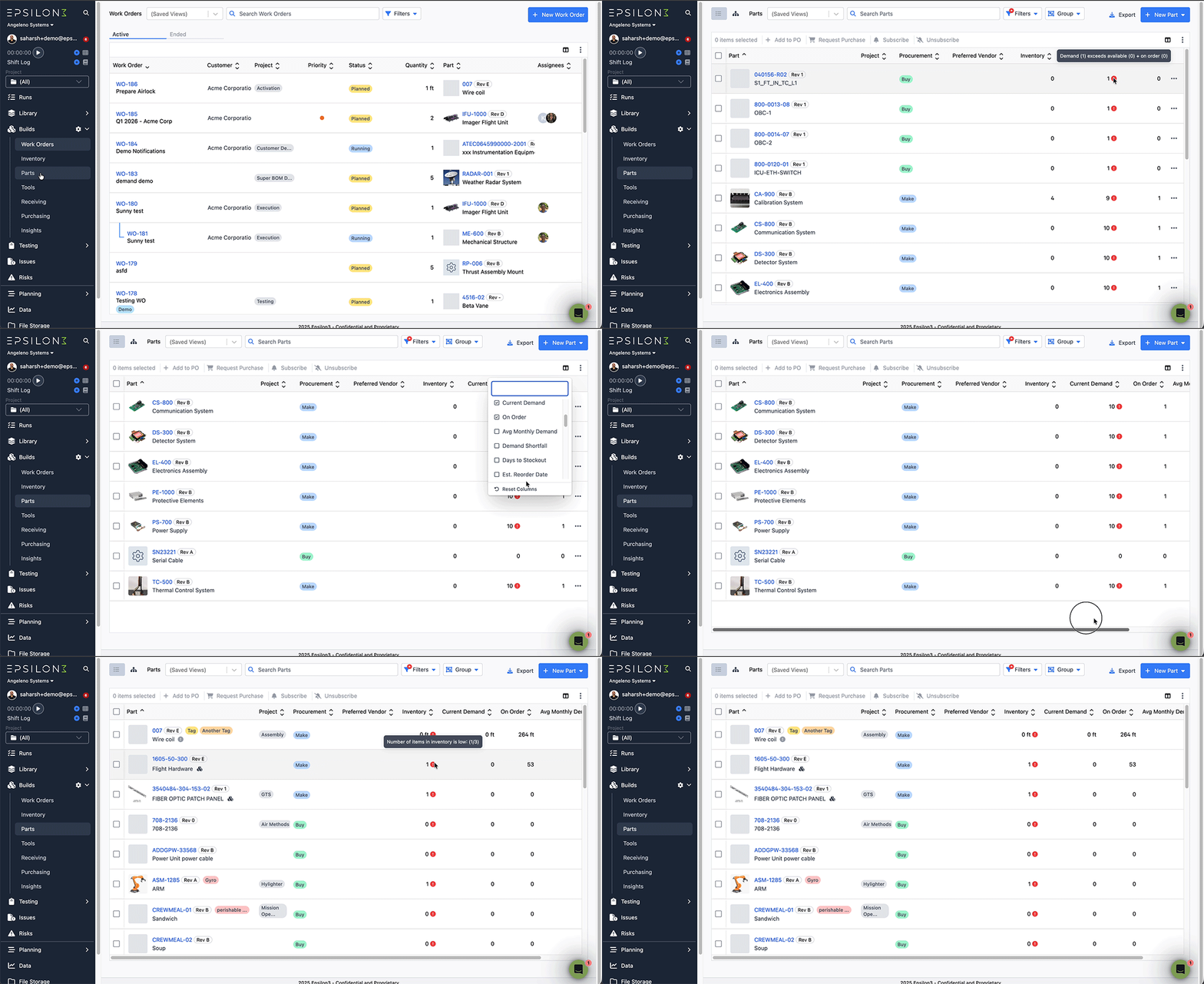
Users now have full MRP (Materials Requirements Planning) capabilities! Closely track inventory usage patterns and plan timely reorders using new columns in the Parts grid of our Builds module - Current Demand, On Order, Avg Monthly Demand, Demand Shortfall, Days to Stockout, and Est. Reorder Date.
Users can also now quickly find inventory falling below critical thresholds by using warning filters in the same Parts grid - Demand exceed supply, Demand shortfall, and Inventory below threshold
New! Section Conditionals & Conditionals with Variables
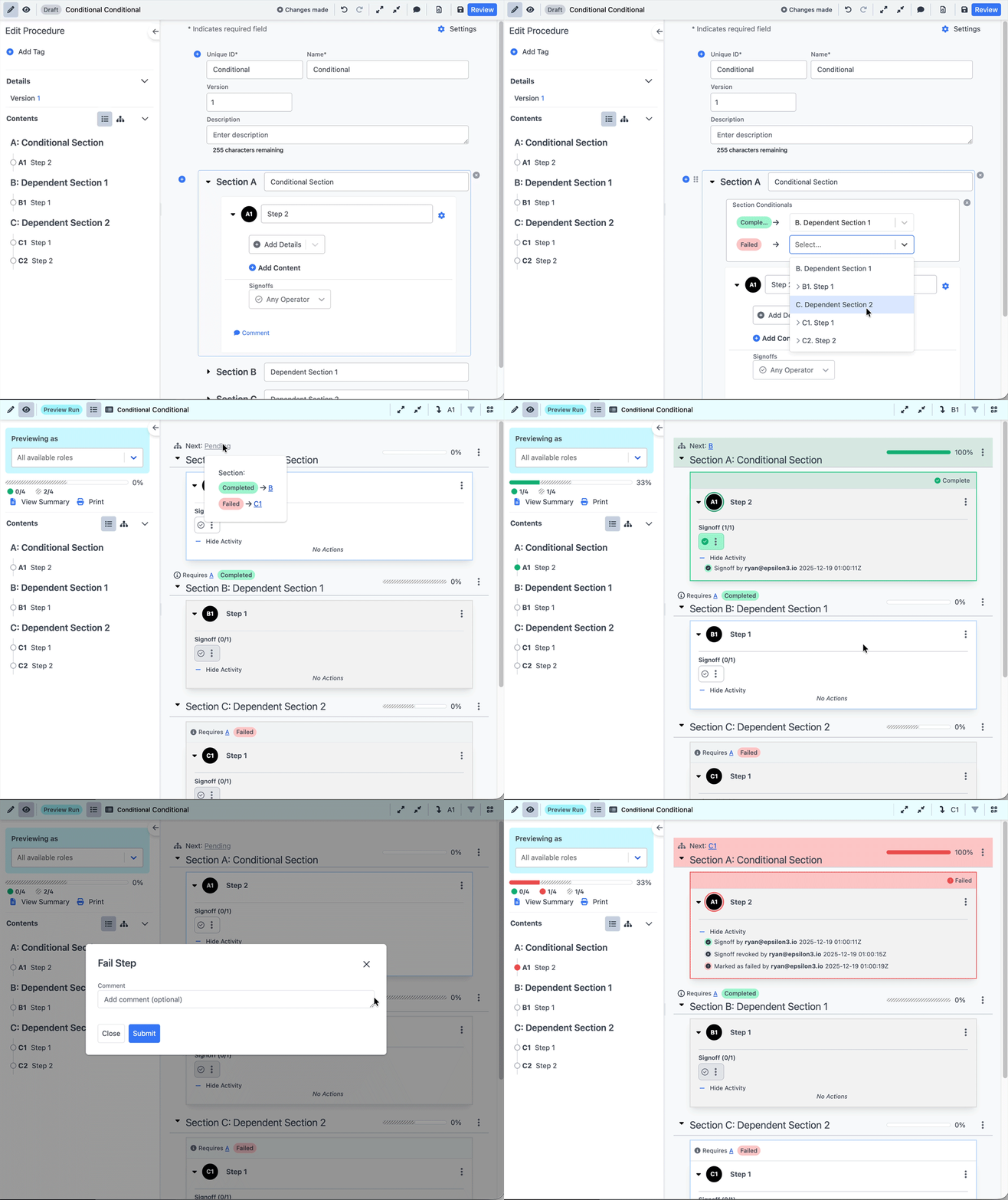
Sections can now be used in the conditional execution flow—both as branching targets and as conditional sources based on their pass/fail state. Additionally, procedure variables can now drive conditionals, offering the same logical branching options as Field Input Conditionals.
New! Sales Orders
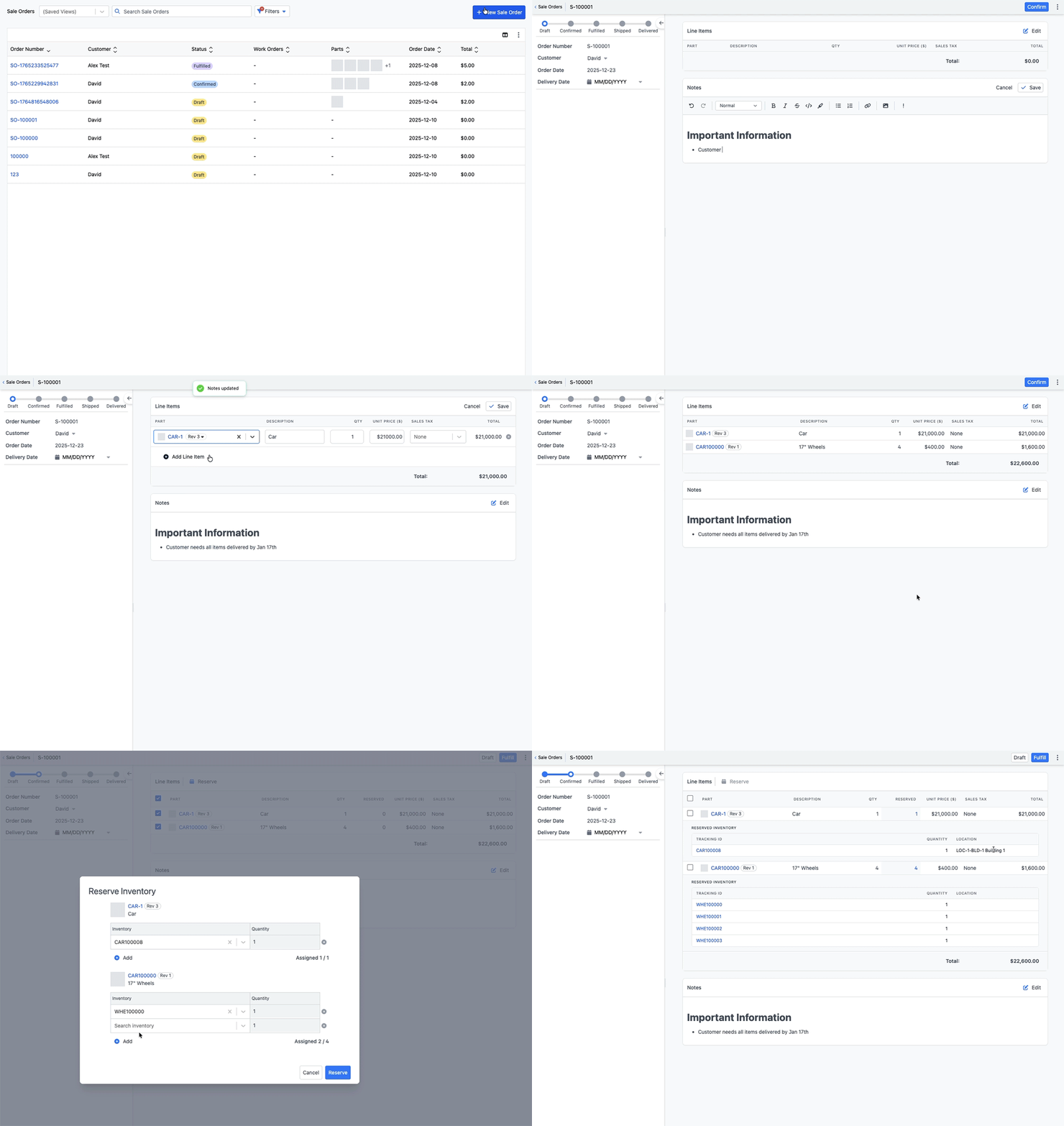
Operators, Editors, and Admins can now create sale orders to track products sold to customers. To access it, go to the “Sales” menu under the Builds section in the navigation bar.
Sales Orders can be configured to have auto numbering with a custom prefix
Sales Order Lines will pull pricing from a parts’ “unit price” that can be set on the Part Edit page
Newly created sale orders are in the “Draft” state. In this state users can modify the sale order line items with the products they wish to sell to a specific customer
Once done editing, a user can move the order into the “confirmed” state to begin reserving specific items to a sale order. These items will be marked as “Assigned” and will be unavailable to select for other operations.
Once a sale order’s state is set to “Shipped”, the items will be marked as sold within Inventory
New! External Sharing
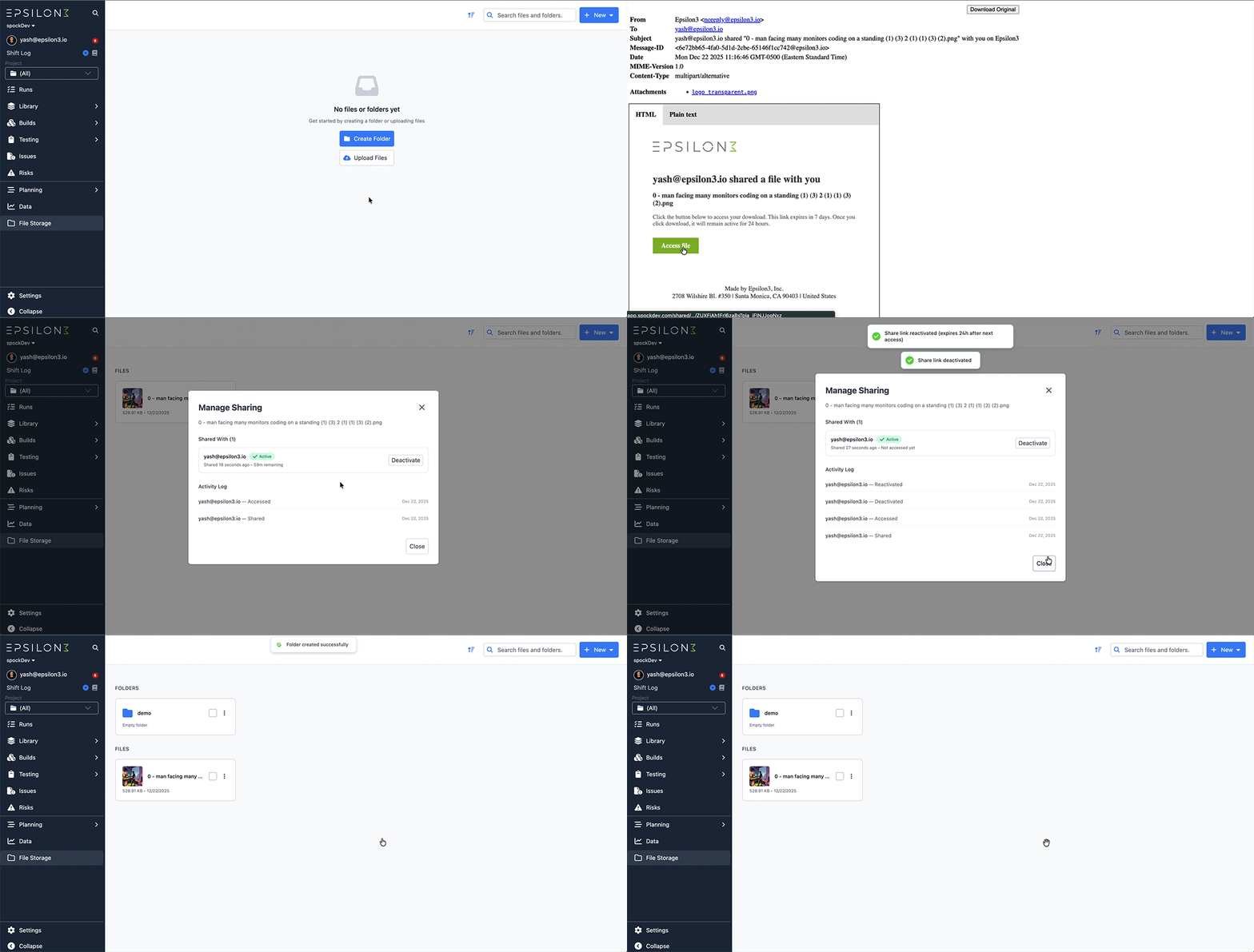
Admins can now securely share files with any user by emailing a direct link from the File Storage module. These links can be managed or deactivated at any time within the app, making collaboration seamless while maintaining full control over access.
New! Create Personal Notifications via Saved Views
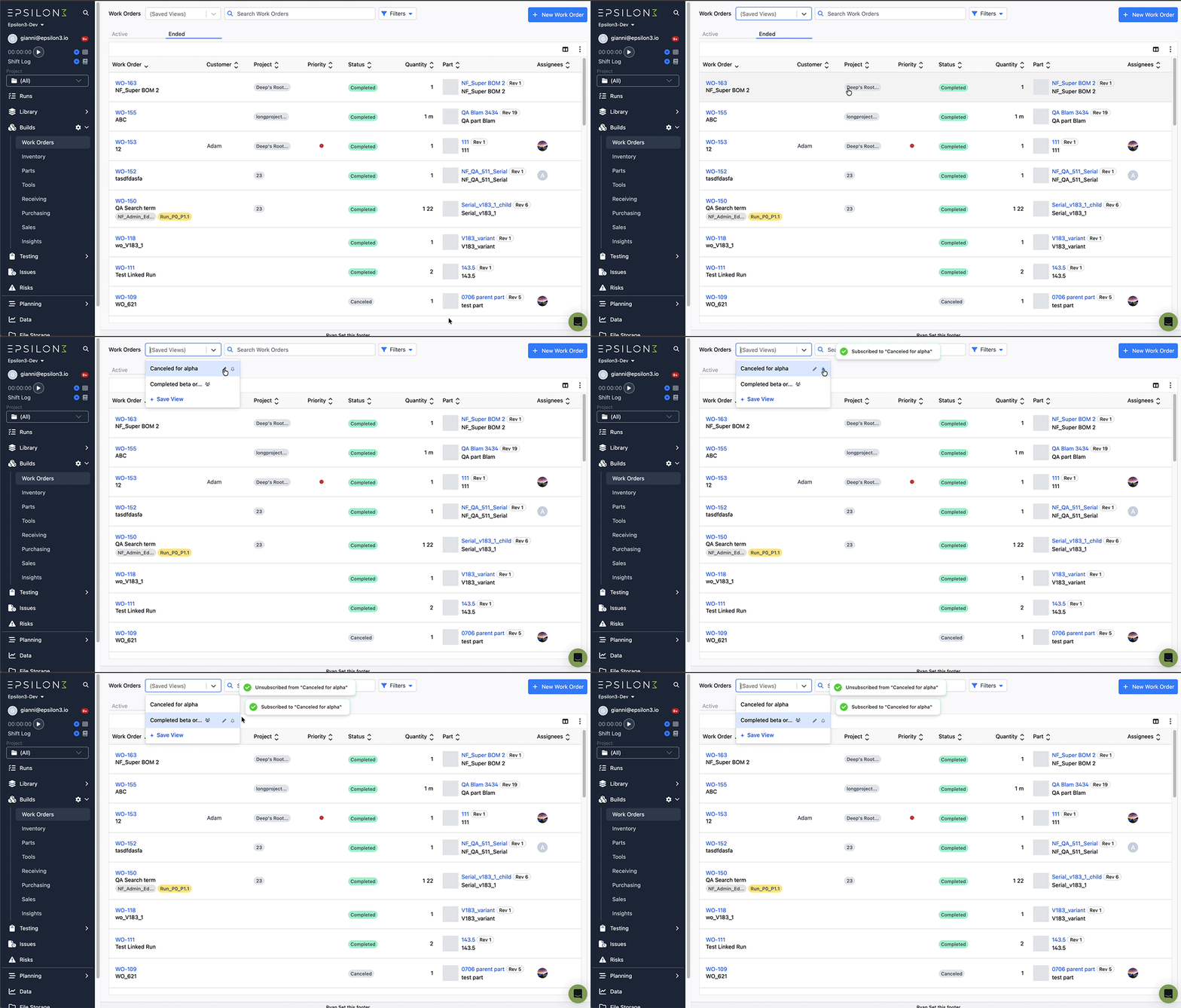
You can now subscribe to saved views and get notified whenever a new item matches that view’s filters. This works everywhere saved views are supported. Saved views are now an active monitoring tool, so you don’t have to constantly check tables for changes.
New! Issues Improvements
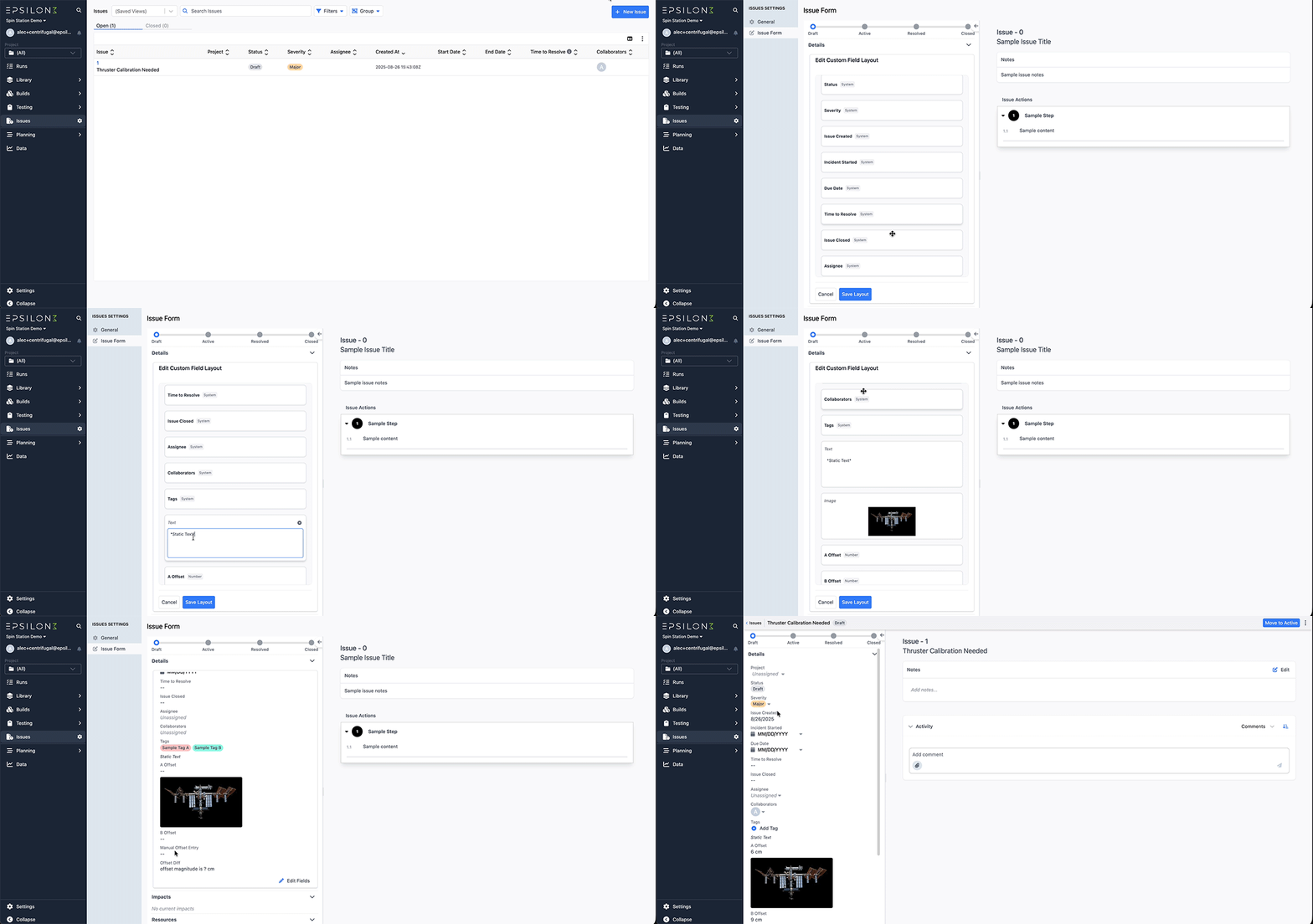
View and rearrange custom fields and system fields in the new issue form preview.
New Resolved state, rich text notes, collapsible and filterable activity log, and new start/end date fields with auto-calculated Time to Resolve.
Improvements & Fixes:
Images and rich text in Tables
Test Plan Runs now show in Runs tab
Allow hiding Expression and Run Result Blocks
Attachments on Vendors, Customers, and Work Orders
Improved Customer and Vendor management (new pages and can add custom fields)
Option to Archive Lists
Part Subscriptions
Tags for Snippets, insert multiple snippets and filter snippet insertion by tag
Option to require a project for procedures
Use formula sequence when generating part number

If you are a current user of Epsilon3, contact support@epsilon3.io for the review link to earn $50 before submitting.