Welcome to the latest edition of the Epsilon3 Changelog, covering release versions v 1.188 - 1.190. Customer feedback fuels each new feature and improvement, so we’d love to hear what you think about these latest developments. Let’s keep driving mission success!
TL;DR:
User Skills
Trickle Down and Sum Up on Assemblies
Work Order Schedules
Inventory Details Block Improvements
Company & Customer News:
Making it Easier Than Ever to Purchase Epsilon3 (read)
Epsilon3’s Laura Crabtree on Compliance as a Trust Signal for Defense Customers (listen)
Commercial Space Week: Jan 28-30, 2026 in Orlando, FL. (SpaceCom, Space Mobility)
SmallSat Symposium: Feb 10-12, 2026 in Mountain View, CA (View Event)
New! User Skills
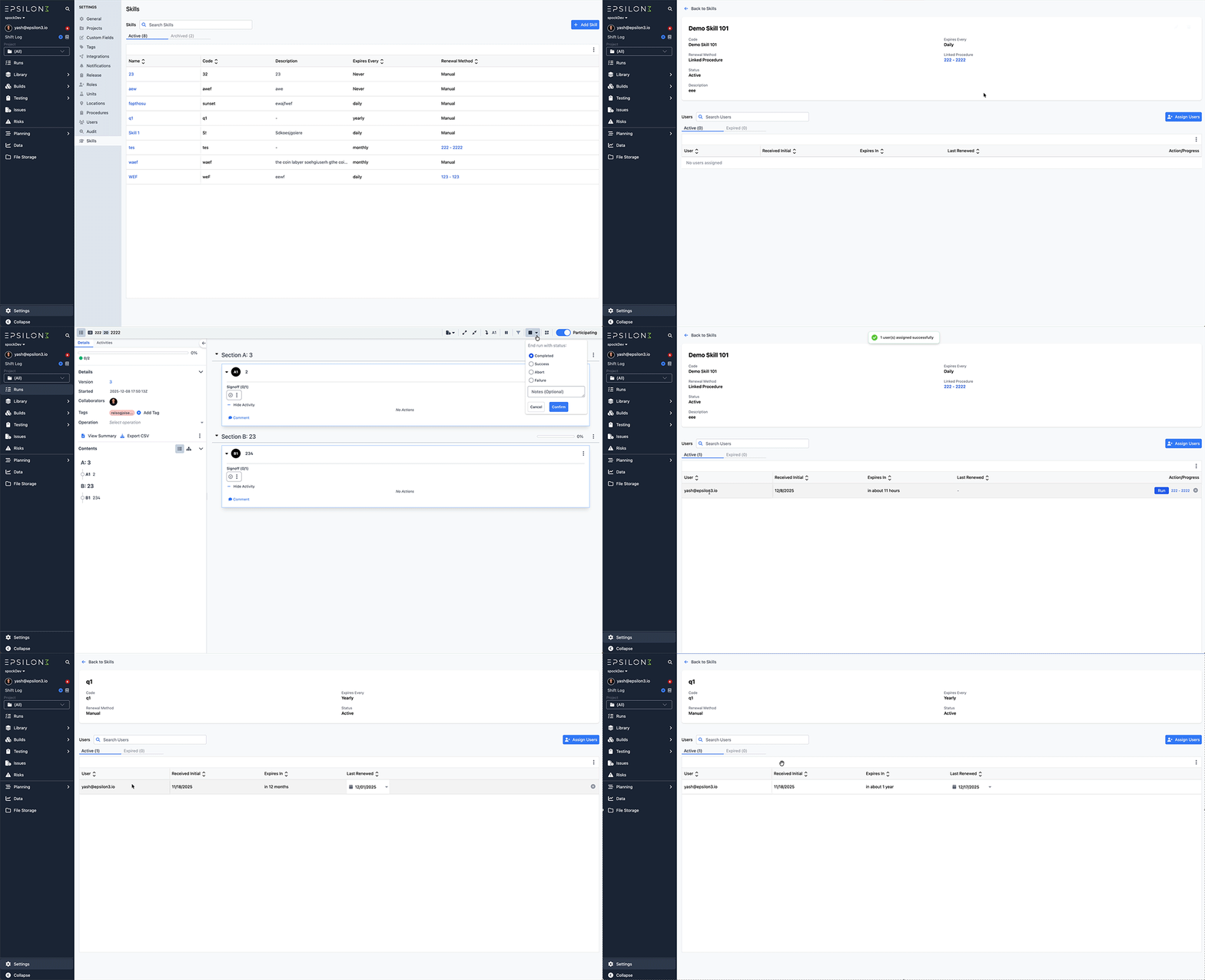
Users can now create and manage skills. Skills may be created manually, renewed manually, or automatically granted when a linked procedure is completed. All skills associated with a user can be viewed on their profile page. Skill creation, assignment, and control are available in User Settings. In the future, you will be able to require that operators have certain active skills.
New! Trickle Down and Sum Up on Assemblies
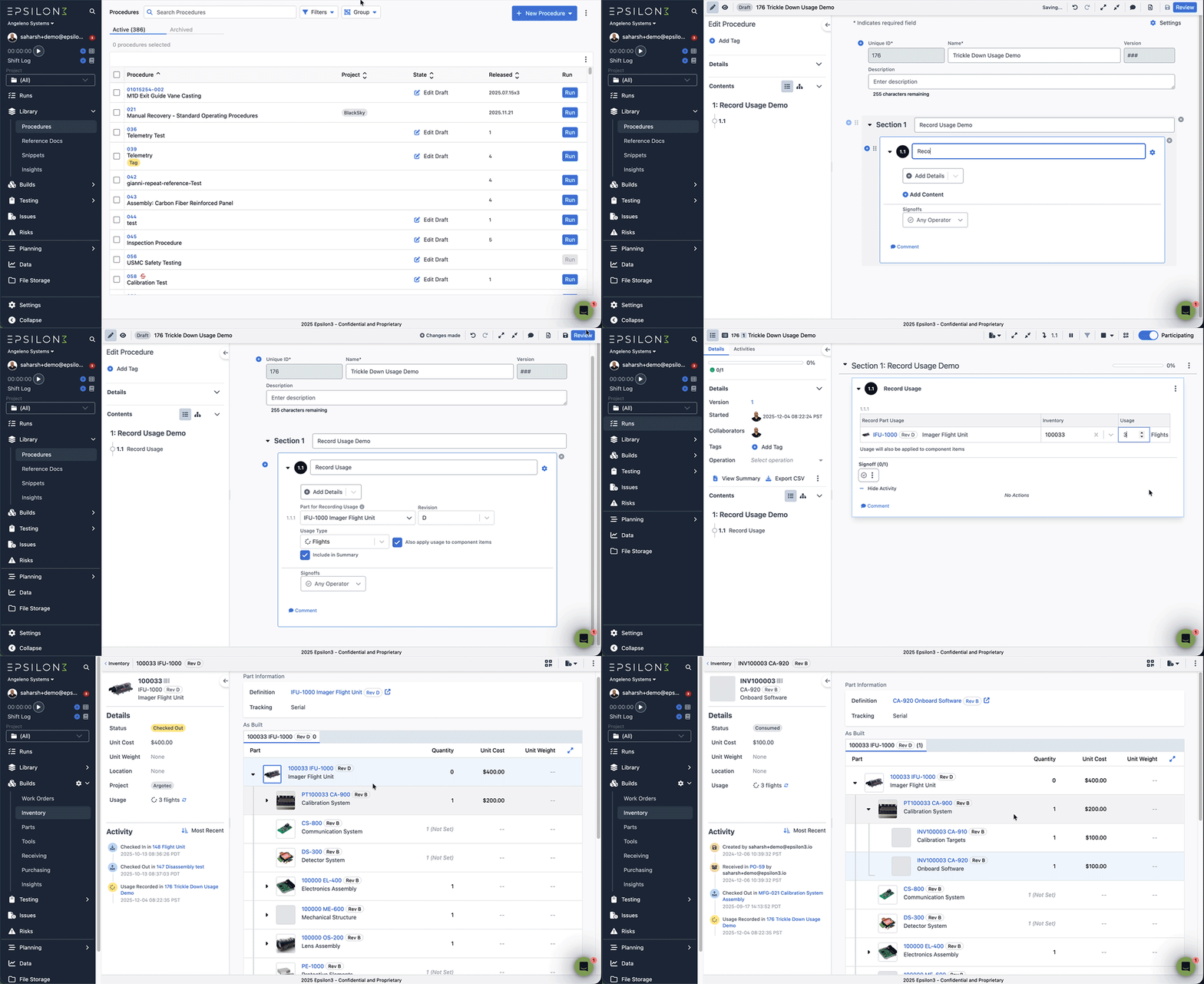
Trickle Down Usage to Component Parts
Users can now configure their part usage blocks to automatically apply recorded usage to all component parts in addition to the top level assembly part.
Previously, users had to individually apply usage to each part in the as built bill of materials (aBOM). This improvement can help save significant time and number of clicks when recording usage that applies to all parts in the aBOM.
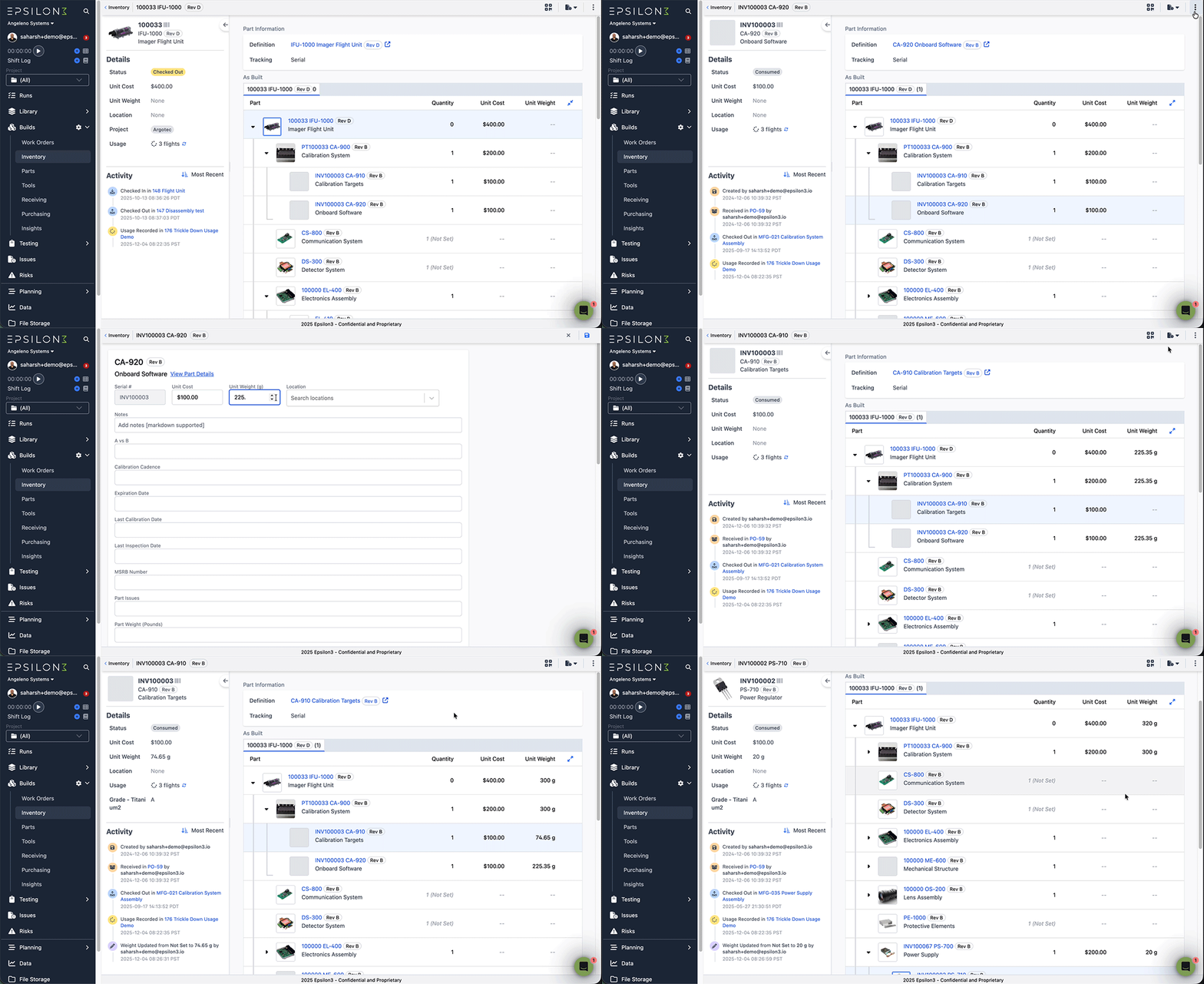
Record and aggregate weights for inventory items
Inventory item edit now allows users to set a weight for the inventory item.
Weight for assemblies and sub assemblies is automatically calculated using their component items, unless manually set in the item edit screen.
New! Work Order Schedules
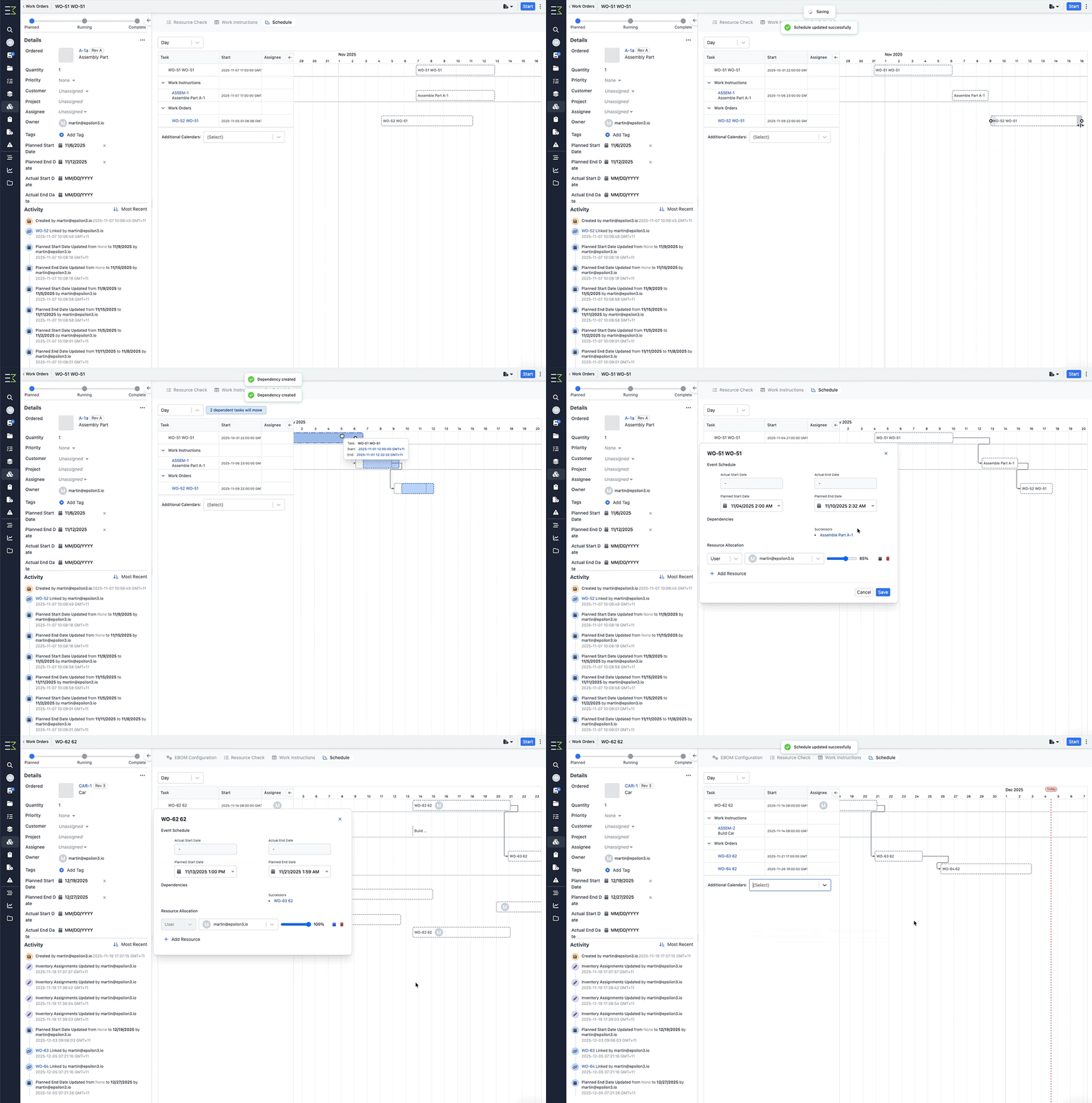
The new schedule on Work Orders gives teams a single, dynamic view of any work order—its tasks, required materials, users, tools, locations, and planned start/end times—all organized into a clear, actionable schedule. With intuitive drag-and-drop editing, smart dependencies, and real-time sync with actual execution, teams can plan confidently, avoid bottlenecks, and keep builds and tests moving on time.
New! Inventory Details Block Improvements
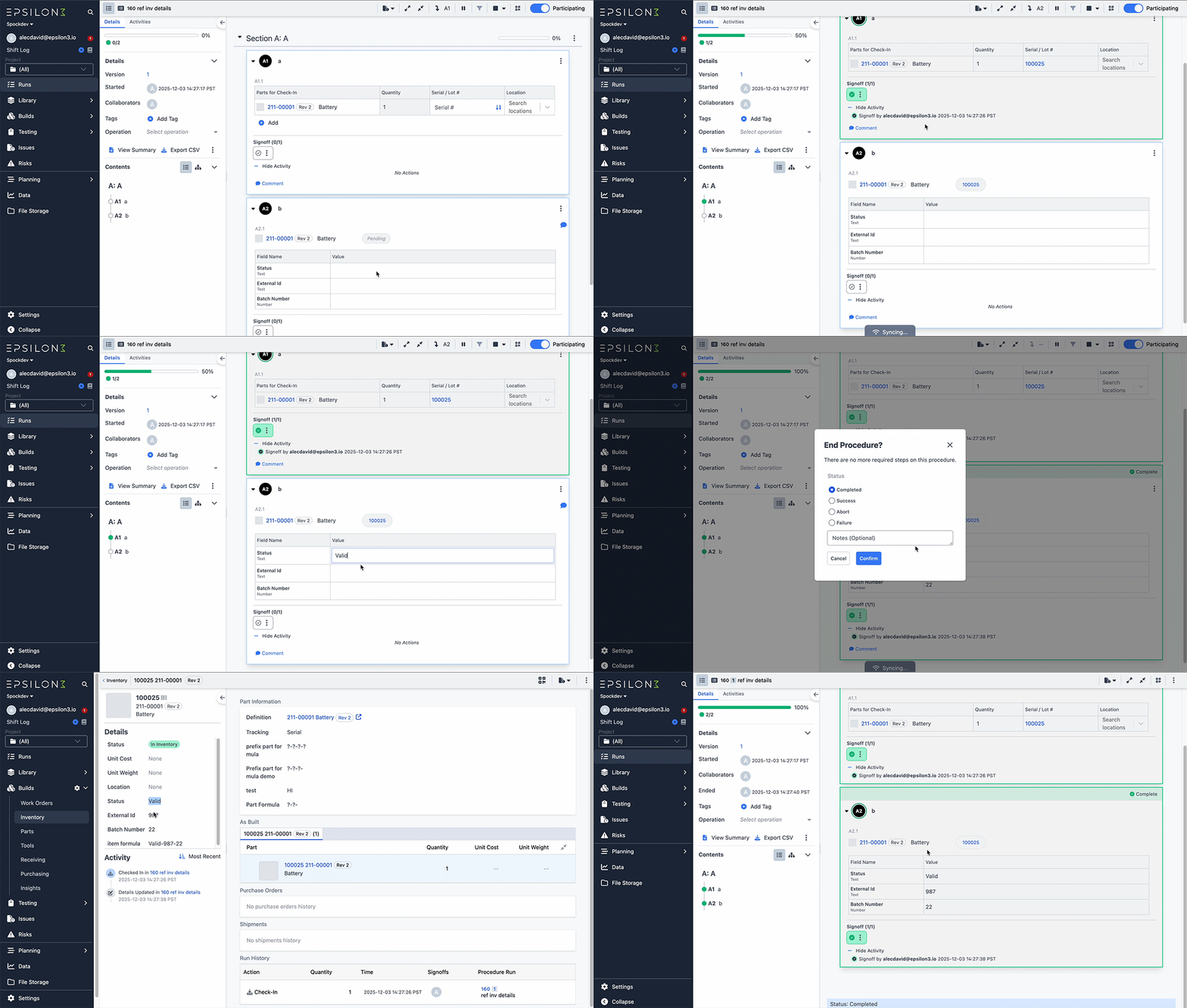
We updated the View Inventory Details block to Inventory Details. This content block now lets users not only view but also update an item's custom detail values directly within a run, and it can reference items checked in or out earlier in the same run. This enables seamless flows like creating a new item, checking it in, and immediately capturing measurements or other custom details—all within one procedure.
Improvements & Fixes:
More Notifications
Add attachments to comments in risks
Preview files across the application (similar to preview in File Storage)

If you are a current user of Epsilon3, contact support@epsilon3.io for the review link to earn $50 before submitting.