
Welcome to the latest edition of the Epsilon3 Changelog, covering release versions v 1.207 - 1.208. Customer feedback fuels each new feature and improvement, so we’d love to hear what you think about these latest developments. Let’s keep driving mission success!
TL;DR:
Project Schedule Events & Settings
Run Sidebar for Inventory
BOM Header and Content Block
Import Tools
New! Project Schedule Events & Settings
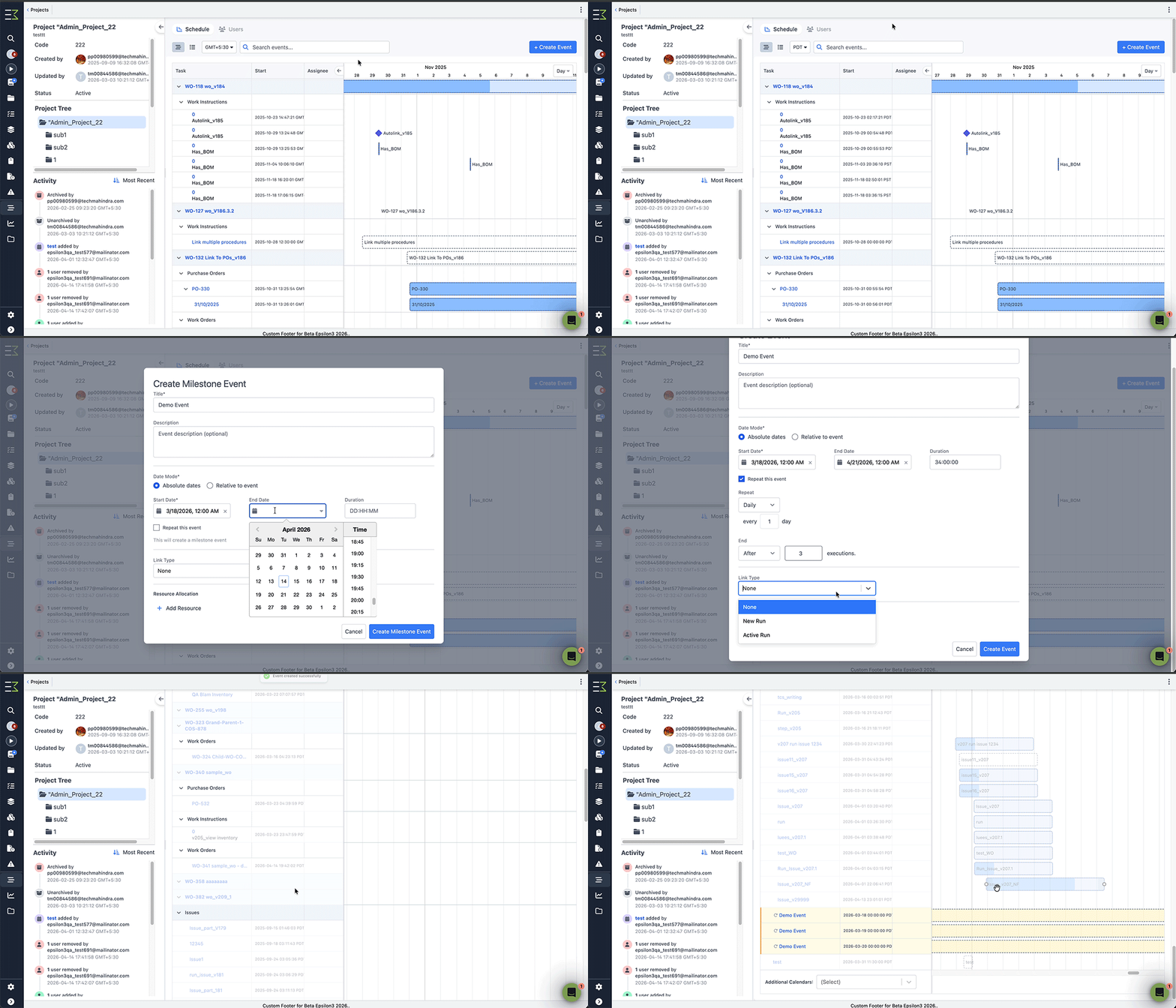
Project schedules continue to improve. You can now search, filter by date range, and create ad hoc events - including repeating schedules, milestones, and procedure-linked events. A full activity log now tracks every change across your projects and events.
New! Run Sidebar for Inventory
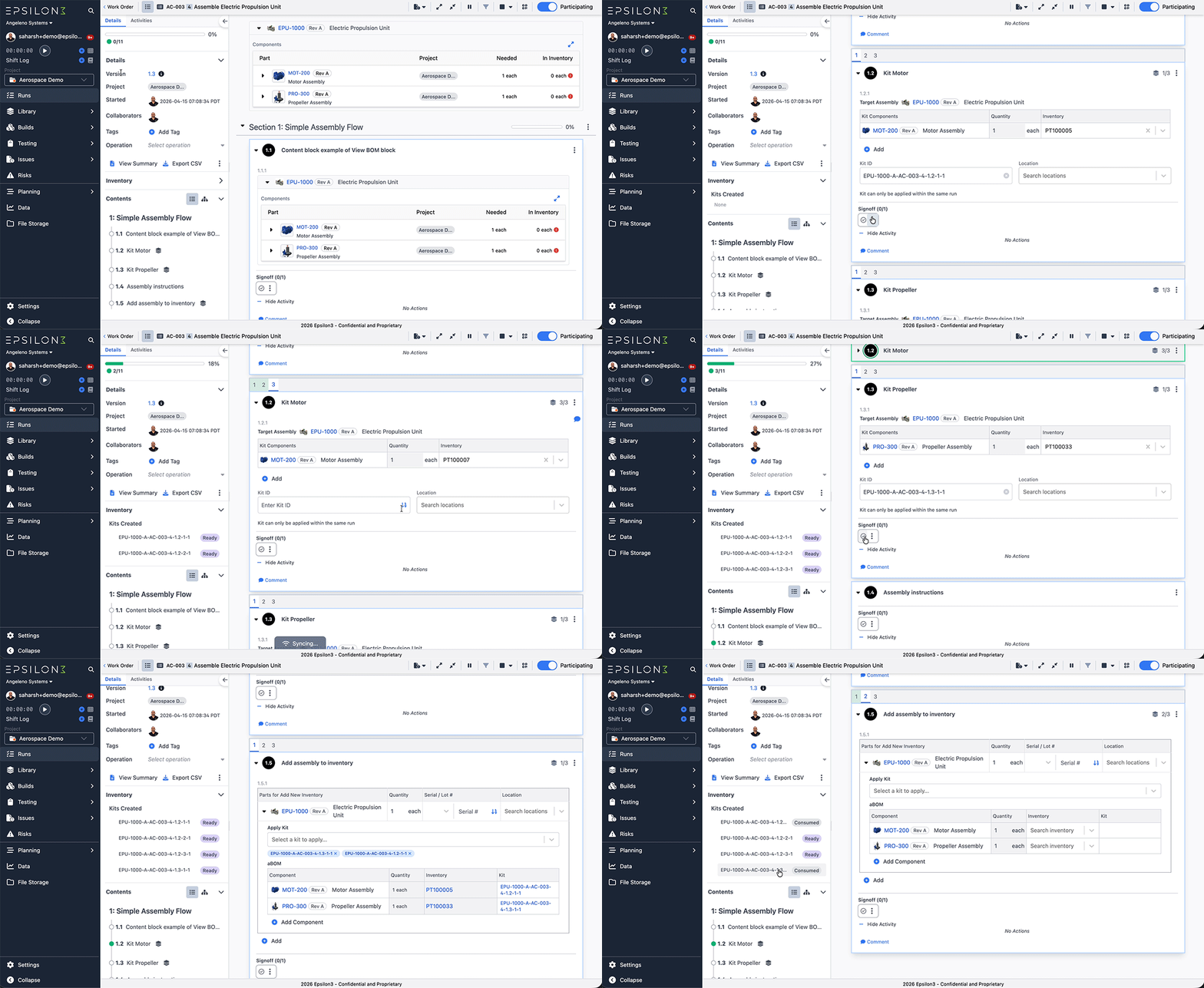
Runs now contain a comprehensive ‘Inventory’ section in the left sidebar to help users track checked out tools/parts and component kits created in the run
This also includes some improvements specific to component kits.
Users can now restrict a created kit to only be consumable in the same run.
Add inventory content block’s kit application dropdown now also allows users to bulk apply all kits created in the same run or the same batch sequence.
New! BOM Header and Content Block
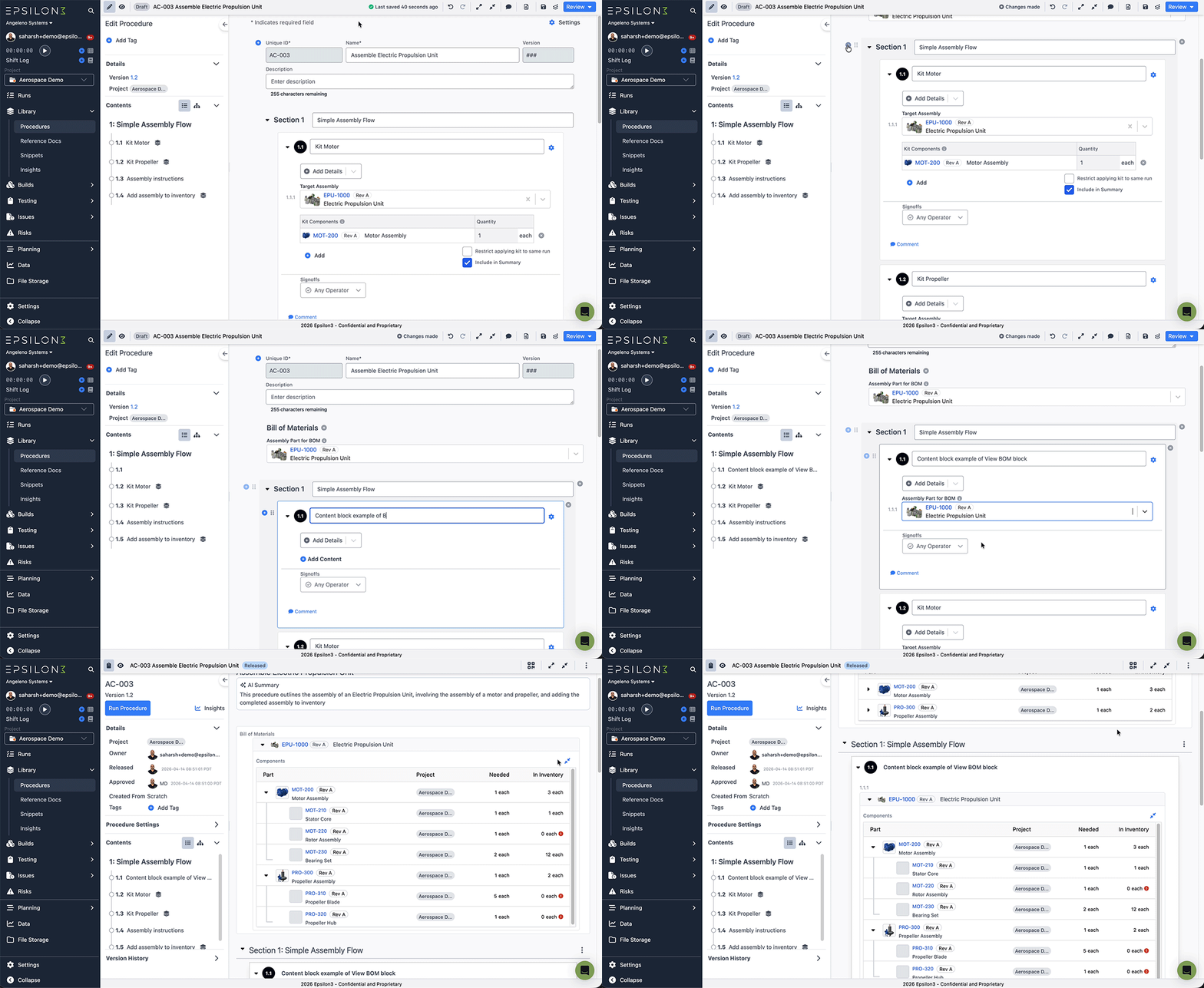
Users can now add the Bill of Materials (BOM) for a part in the procedure header or any content block.
The BOM display is the same as the one shown in the part detail screen. It includes the complete component tree, including needed quantities and quantities currently in inventory.
This block is meant to replace the now deprecated BOM block that could be applied to procedure headers.
New! Import Tools
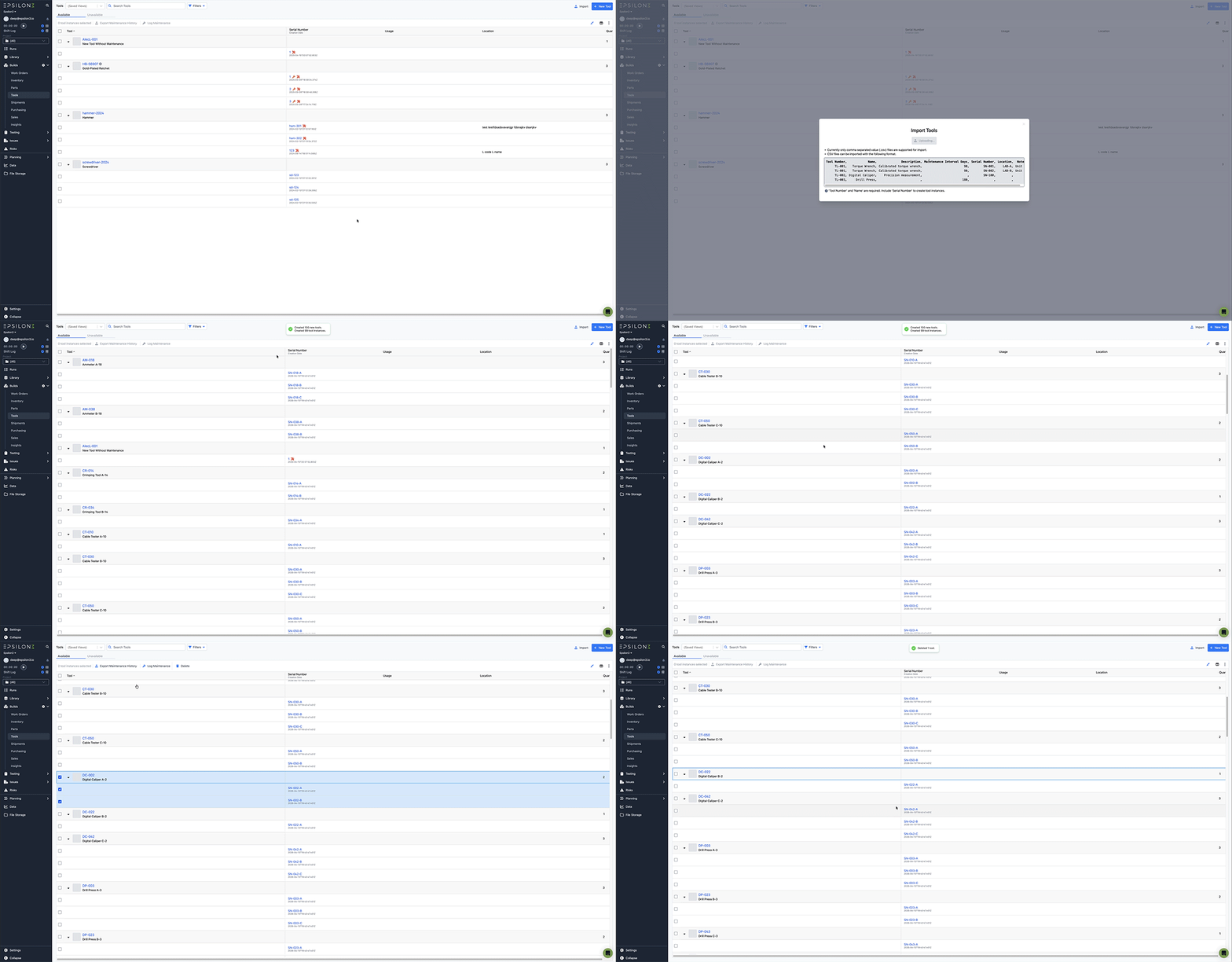
You can now import tool definitions and tool instances in bulk via CSV file, making it easy to onboard large inventories without manual data entry. The import intelligently matches existing tools by tool number to update properties and add new instances, with clear reporting on any issues encountered.
Improvements & Fixes:
Add ad hoc line items to Purchase and Sales Orders
Add Tags to Tools and Shipments
Released Tools and Shipments APIs
More customizable Issue’s layout
Replace Purchase Order Discount card with Total card
Saved Views for Procedures and Runs
Search inside Workspace Settings
Show critical issue banner on Issue Detail page
Show payment terms from Customer on Sale Orders

If you are a current user of Epsilon3, contact support@epsilon3.io for the review link to earn $50 before submitting.
