
Epsilon3 Changelog #97 - Inventory Kitting, Outbound Shipments , Sales Quotes, User-Specific API Keys, & Login Activity Report
Welcome to the latest edition of the Epsilon3 Changelog, covering release versions v 1.205 - 1.206. Customer feedback fuels each new feature and improvement, so we’d love to hear what you think about these latest developments. Let’s keep driving mission success!
TL;DR:
Inventory Kitting
Outbound Shipments
Sales Quotes
User-Specific API Keys
Login Activity Report
New! Inventory Kitting & Improved Inventory Integration with Procedures
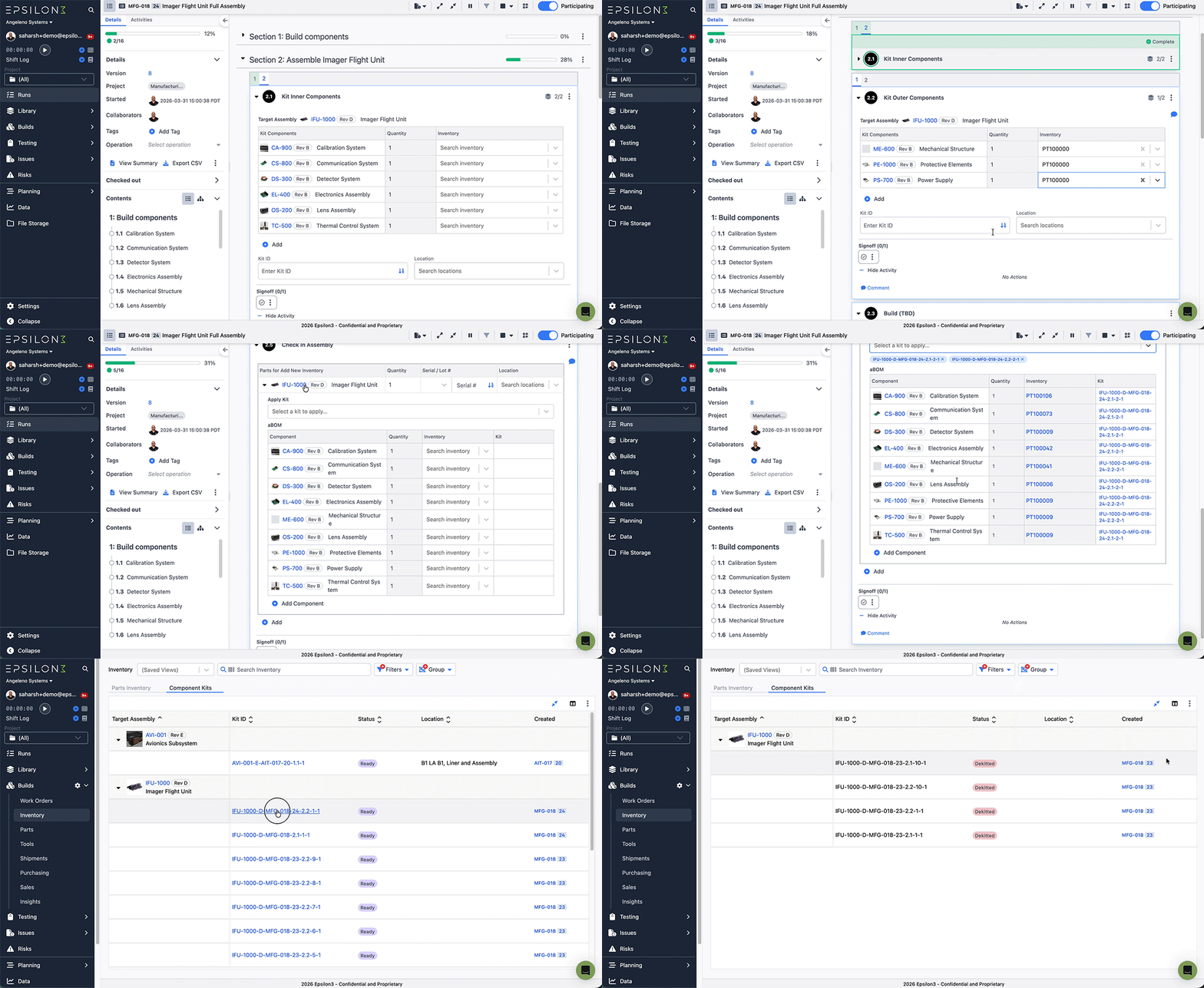
Procedures content blocks for Inventory have been updated to better support inventory kitting for assembly runs.
Users can now create component kits to allocate component items to consume in an assembly in the same run or a future run
Kits that are no longer needed can be dekit to return allocated items back to inventory
New Component Kits Landing grid now shows users all component kits ready to be consumed in one place. It also contains historical records for all component kits applied to assemblies or dekit.
New! Outbound Shipments
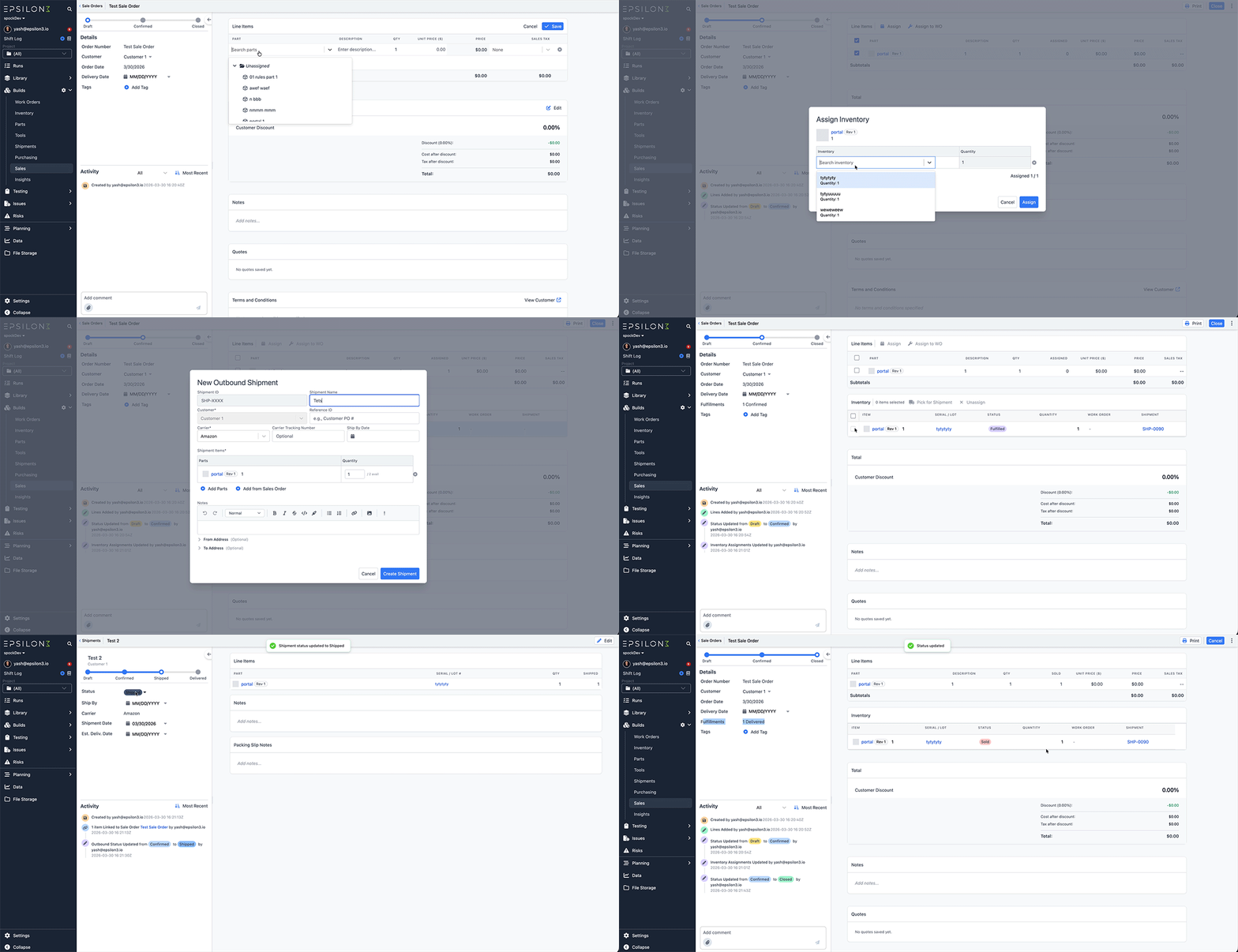
Outbound Shipments helps teams create and manage shipments from start to finish. You can track everything from draft to delivery, assign inventory to each line item, link shipments to sales orders, and add carrier and tracking details. Every update is logged, so you always have a clear history of what changed and when. Navigate to Shipments tab under Builds to create an Outbound Shipment.
New! Sales Quotes
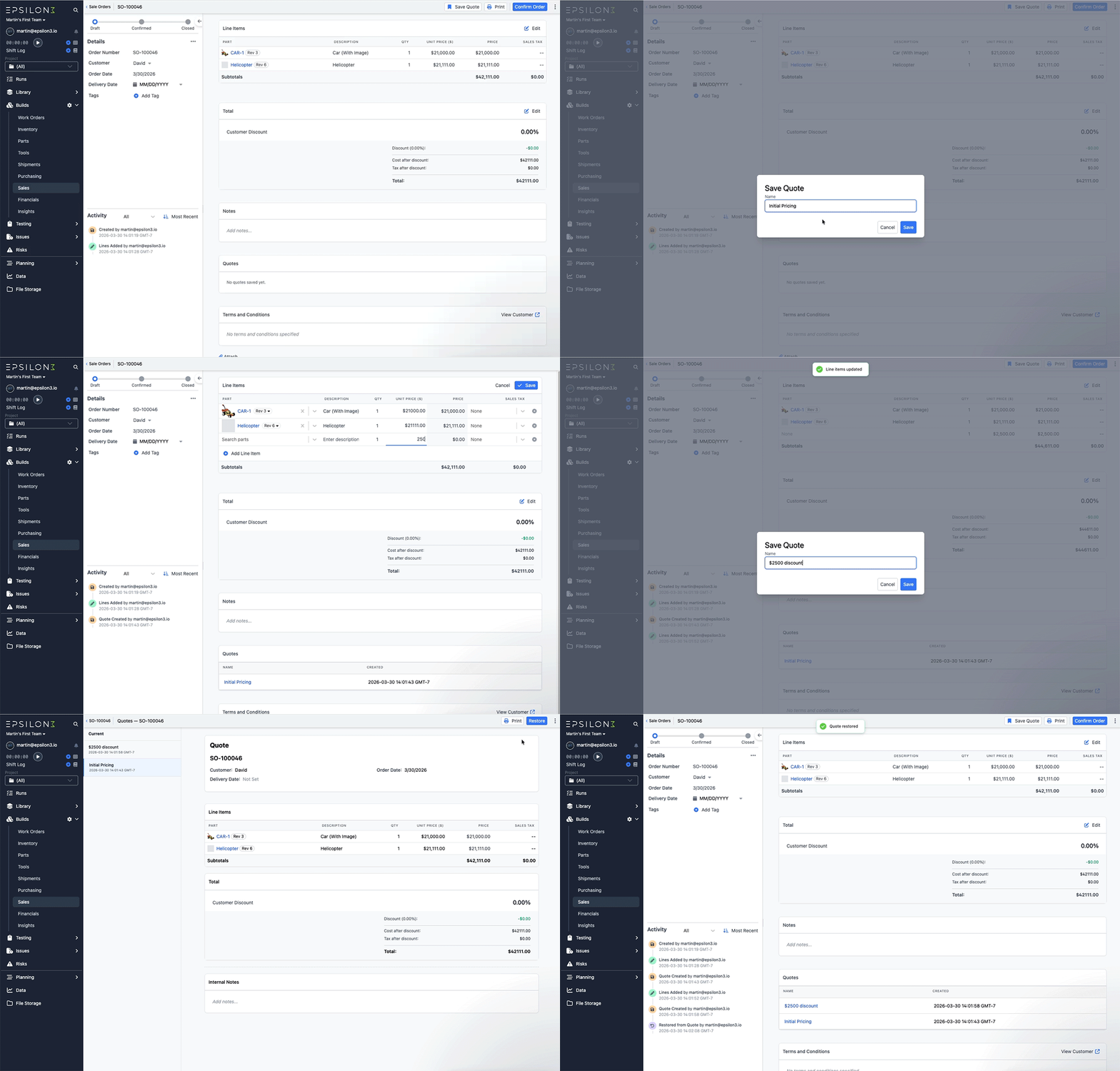
Sales Quotes allows teams to create multiple alternative snapshots of a sale order for a client, and easily restore the one they go with.
To create a quote, simply go to a sale order in the draft state, and click the “Save Quote” button in the toolbar.
Once a quote is created, it can be easily shared with customers. Draft orders can also be easily restored to an earlier version by restoring a previous quote.
New! User-Specific API Keys
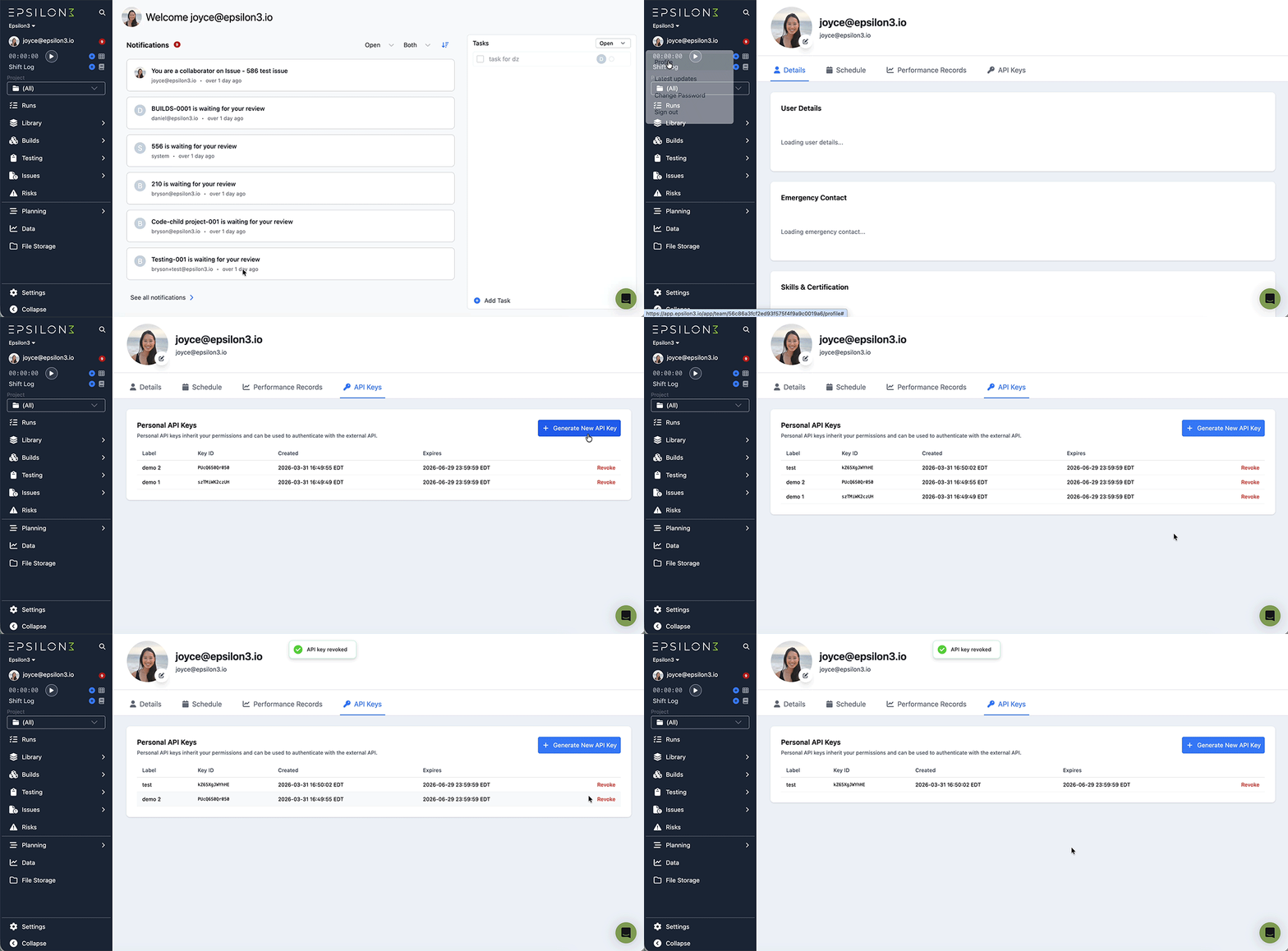
Users can now generate personal API keys which are tied to their underlying user. This allows for finer grained usage of the API as well as more detailed traceability of who is performing which action.
New! Login Activity Report
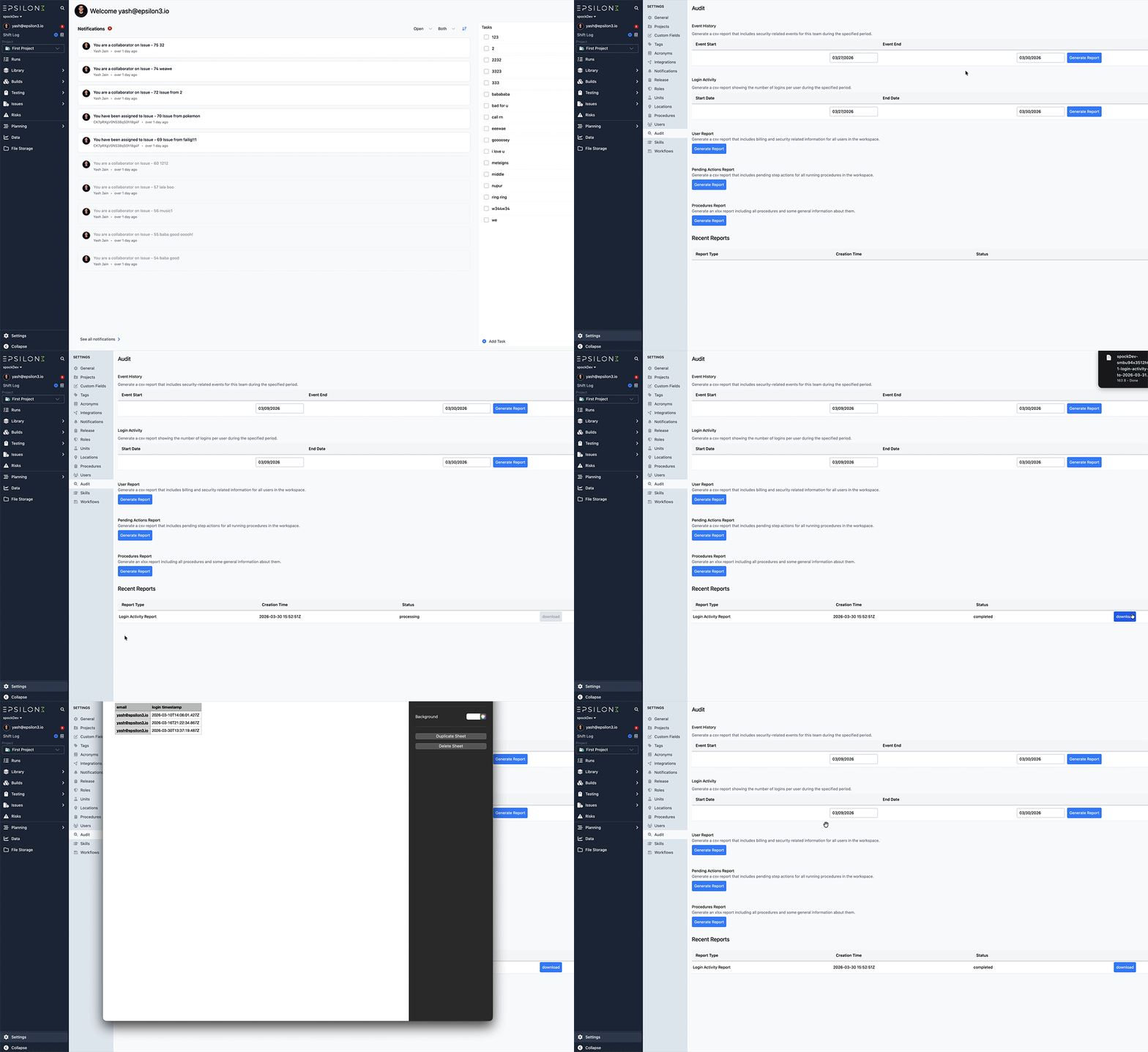
Admins can now view a complete login history for all users in their organization. Navigate to the Audit tab in Settings, select a date range, and generate a report of every unique user login during that period.
Improvements & Fixes:
Test mode for Workflow Automations
Improved formatting of Commanding results
Added Tags to Sales Orders
Added Role filter to project users page
Added Vendor fields to Purchase Orders
Users can set Default Workspace from workspace selector
Added Comments to Work Orders
Add procedures created per project chart to Insights Trends

If you are a current user of Epsilon3, contact support@epsilon3.io for the review link to earn $50 before submitting.
